


Updated on 13-07-2026
How do you book your All Access office?
Booking your All Access office takes just a few minutes. Simply follow the steps below:
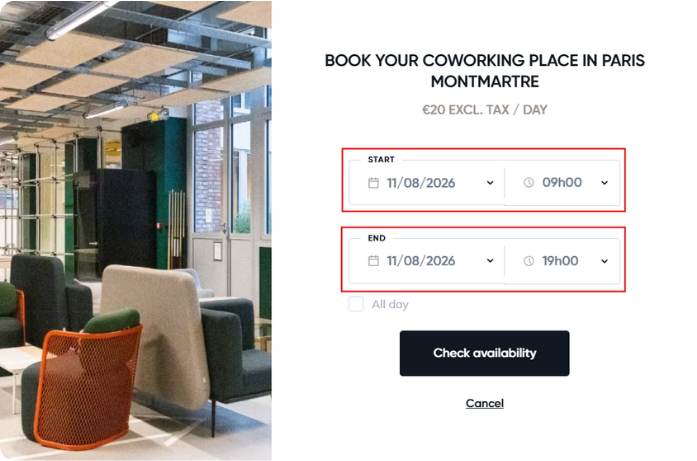
1. Choose your date and time
Select the date and time you’d like to access the Wellio space, then click on “Check availability”.
2. Create your account
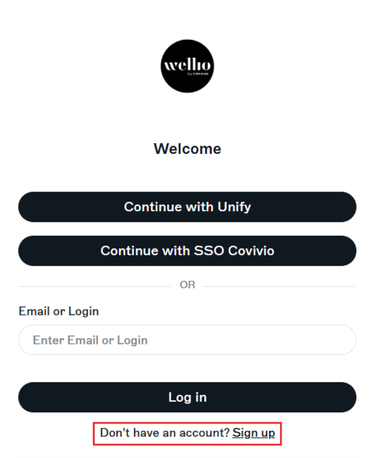
You will be redirected to the Wellio app to complete your booking.
If you do not yet have an account, click on “Sign up”.
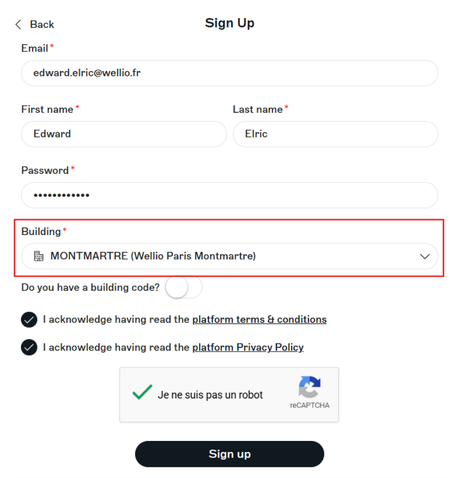
Enter your personal details, then select the Wellio space where you would like to work.
3. Complete your booking
Check your booking details and enter your benefit code if you have one. Then click on “Confirm”.
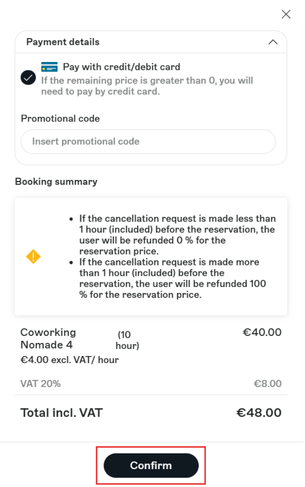
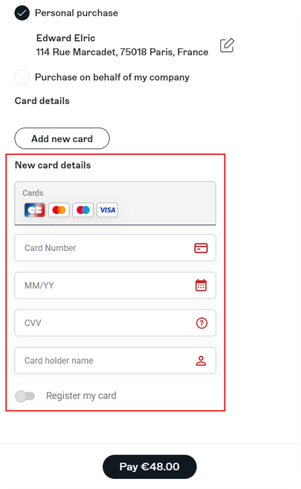
Next, proceed to the secure payment page to confirm your booking.
4. Receive your confirmation
Once your booking has been confirmed, you will immediately receive a confirmation email containing all the details of your booking.
5. Enjoy your day at Wellio
On the day of your visit, please go to reception at your Wellio space. Our staff will be there to welcome you and look after you throughout your day.